Productivity
Focus Mate
Block the distraction, keep the streak.
Medical · iPhone · iPad · Mac
Know what your paycheck says before it lands.
You worked four nights, two of them holiday, one as charge nurse — and payroll's number doesn't match yours.
Capabilities
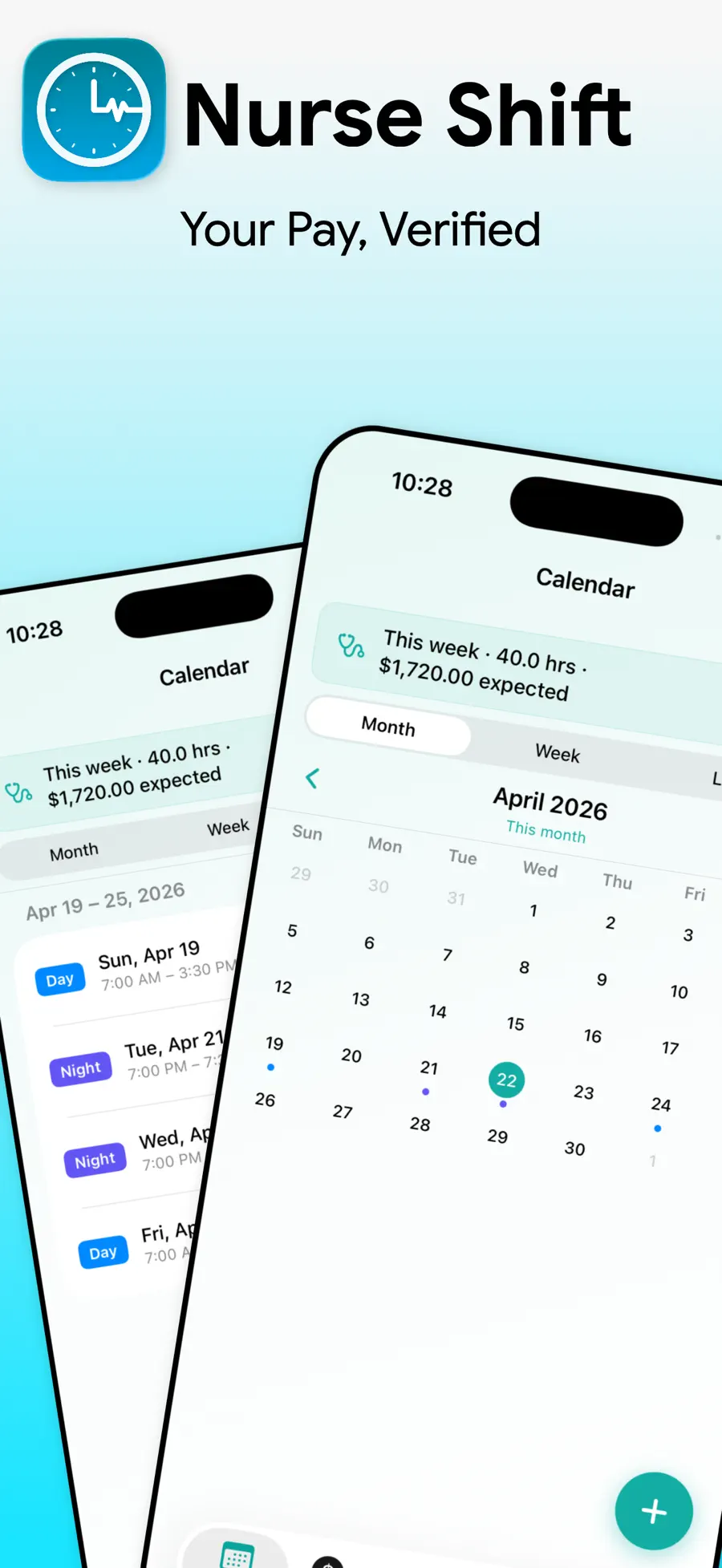
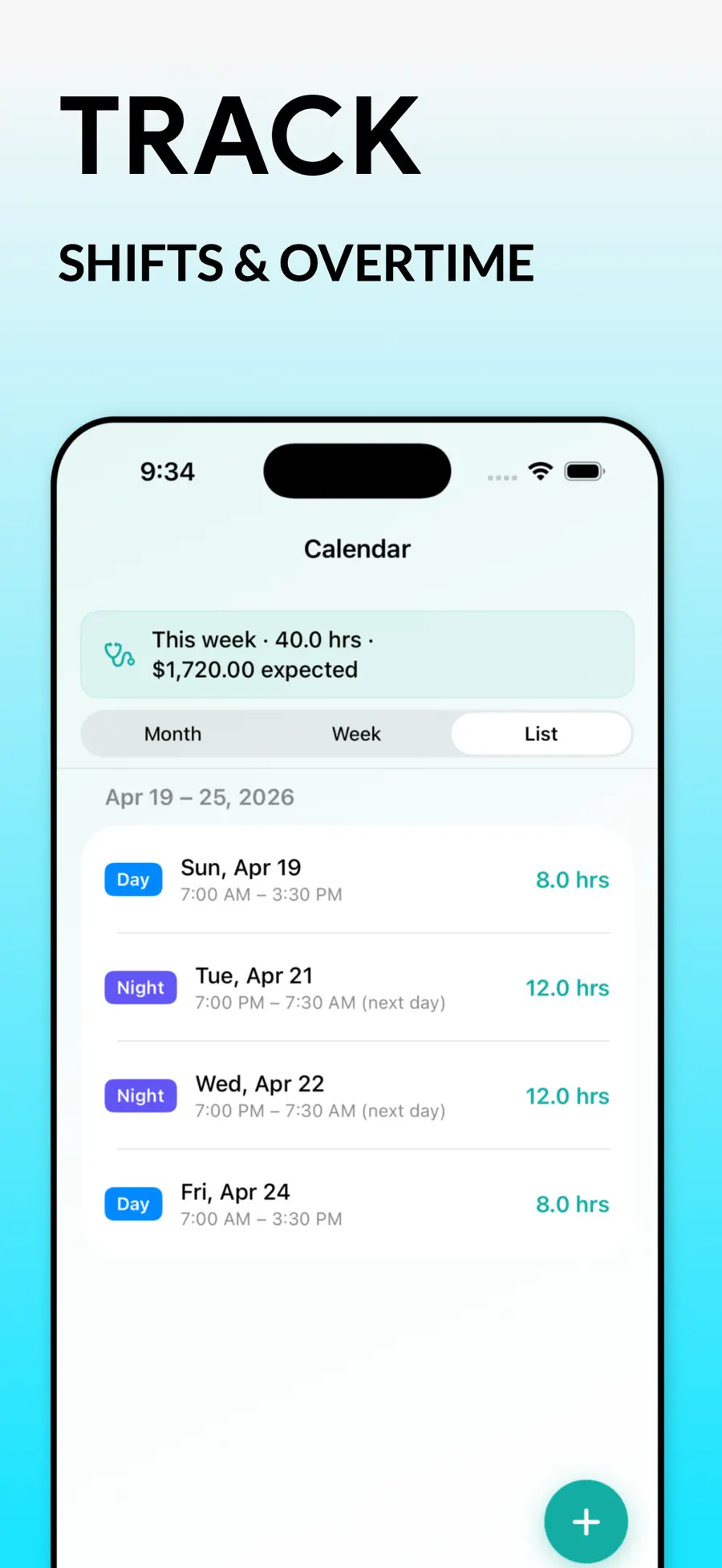
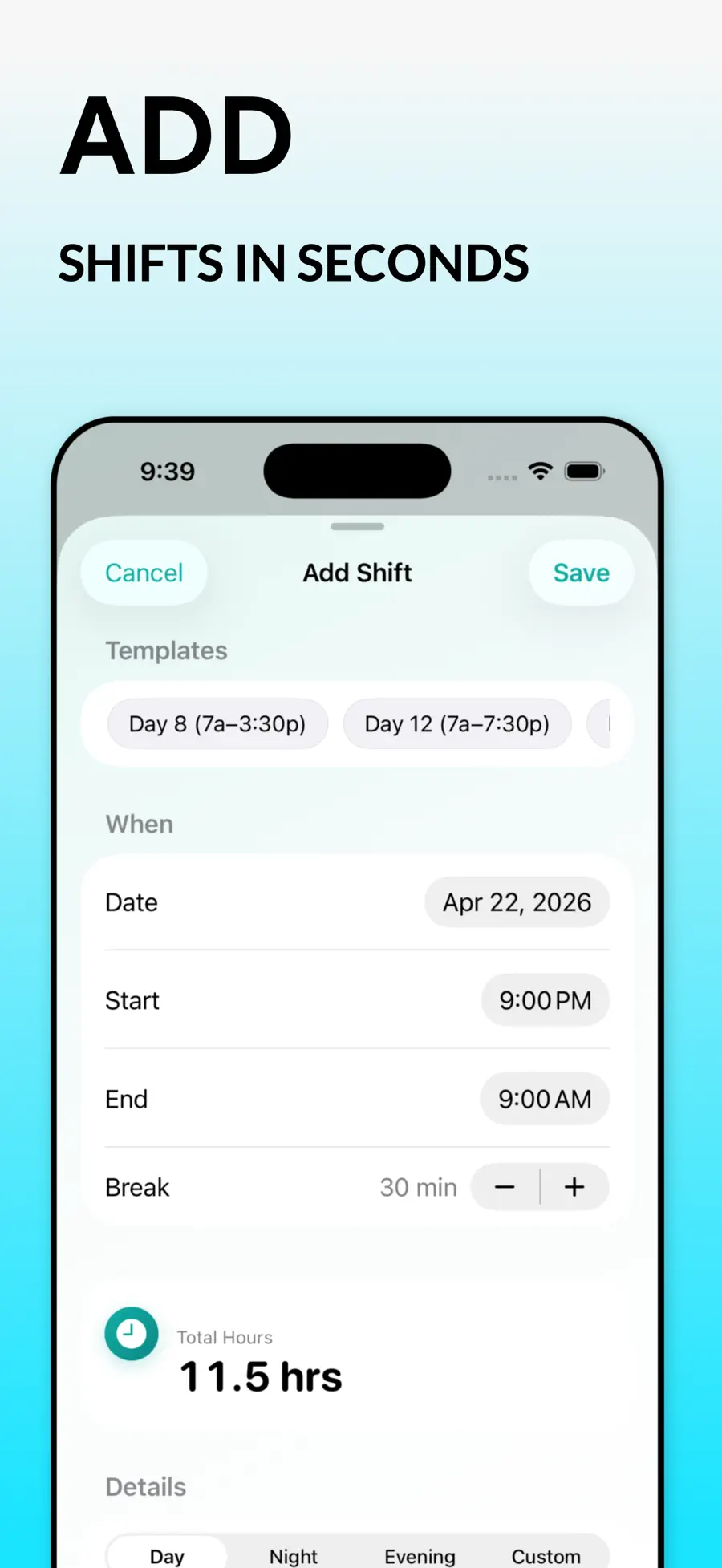
Day, night, evening or custom. Hours calculate themselves, breaks come off automatically, and shift templates mean your regular rotation is one tap.
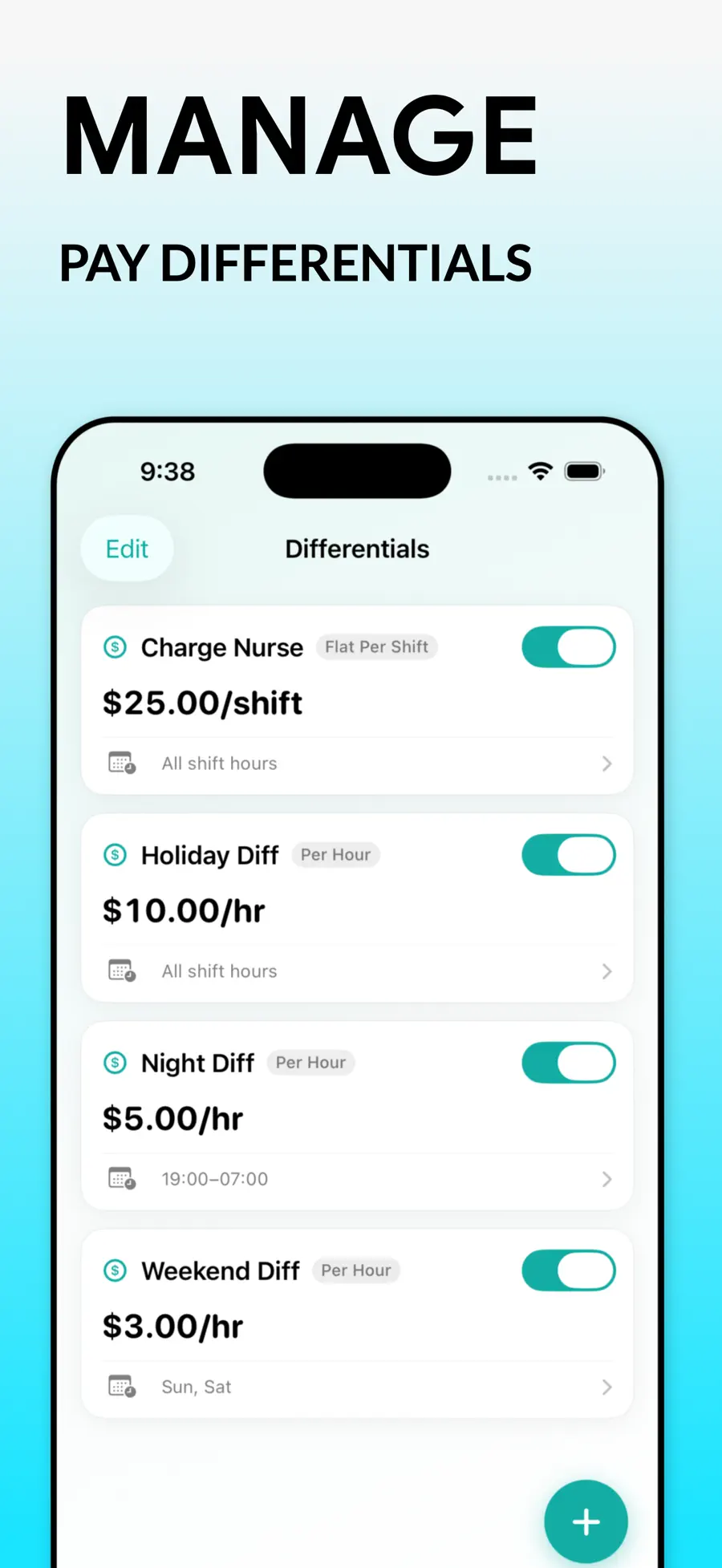
Night, weekend, charge nurse, on-call, holiday, callback — or any custom bonus your facility pays. Set the rule once and it applies to every shift that qualifies.
Federal weekly 40, California daily 8 plus weekly 40, or a custom rule your employer uses. Most pay apps only know one of these.
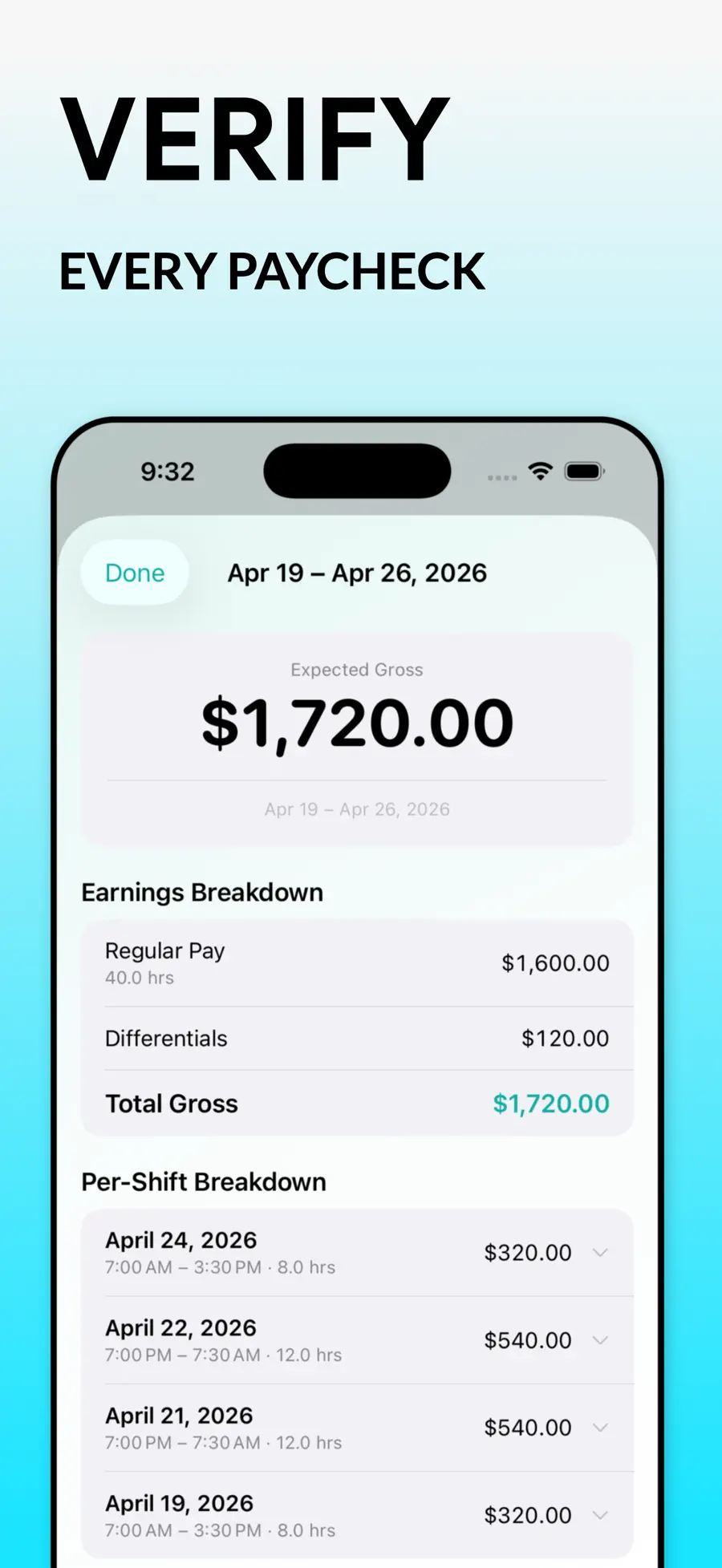
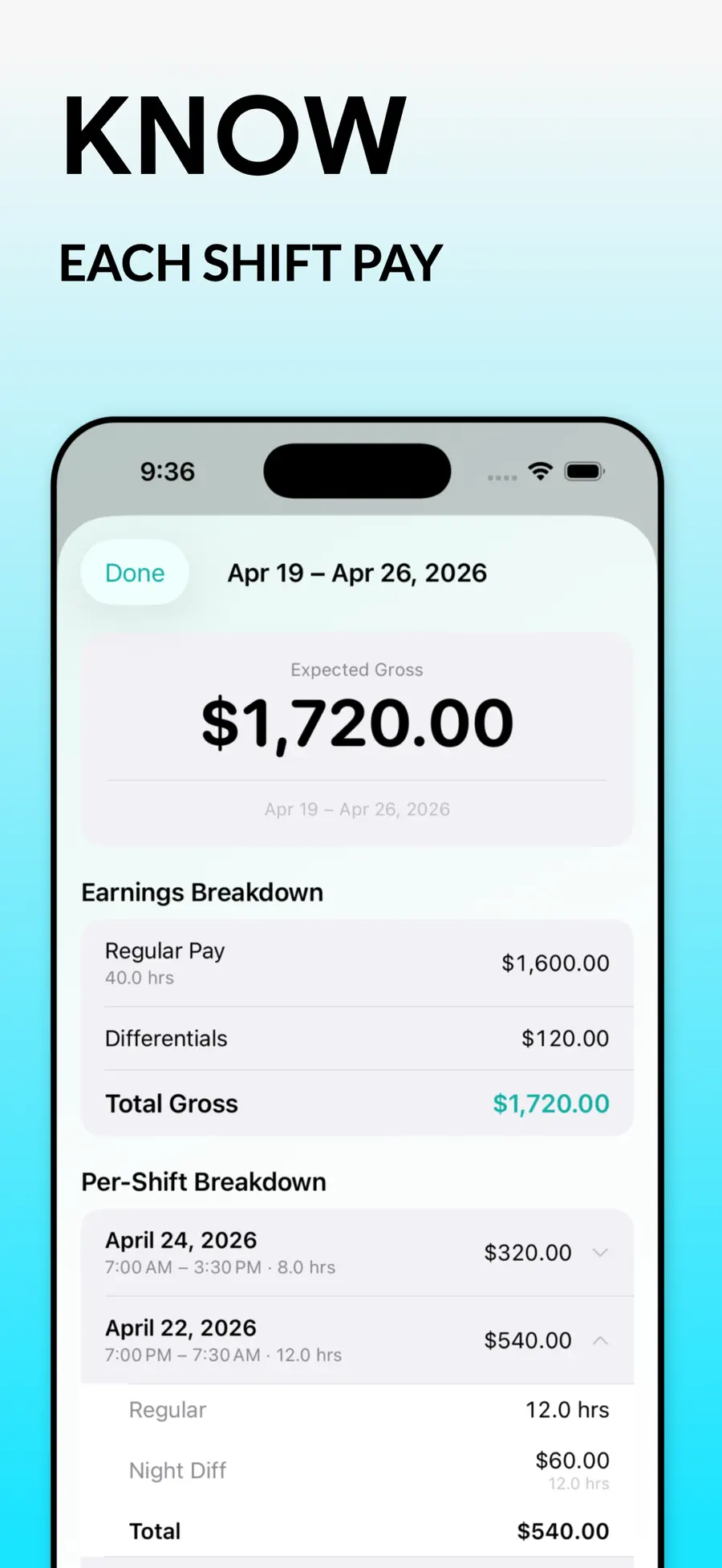
Preview gross and take-home for the current pay period, then reconcile against what actually hit your account and catch the gap.
Track shifts across hospitals, agency contracts, per-diem assignments and travel placements, each with its own rates.
Local-first by design. Optional iCloud sync across your own devices, CSV and JSON export whenever you want it out.
Context
Most nurses find out their paycheck is wrong the same way: a number lands in the account, it feels light, and there’s no practical way to prove it. Reconstructing six weeks of shifts, differentials and overtime from memory and a torn schedule is not a fair fight with payroll.
NurseShift closes that gap by making the record as you go. Log the shift when you finish it — thirty seconds, or one tap if it matches a template you saved. The app knows your base rate, your differential rules and your facility’s overtime policy, so the math is already done by the time payday arrives. When the deposit shows up, you either confirm it or you have an itemised breakdown of exactly where the difference is.
It was built around how nursing pay actually works rather than how payroll software wishes it worked: split shifts, callbacks, charge differentials that only apply some days, holiday rates that follow the facility calendar and not the federal one, and the reality that a travel nurse might be working three contracts with three different rate structures in the same month.
Everything stays on your device. There is no account to create and nothing to sign into — which matters more than usual when the data in question is your income.
Pricing
Free to download — log shifts and calculate pay with no account
| Plan | Price |
|---|---|
| Pro, weekly | $4.99 |
| Pro, yearly | $49.99 |
US App Store prices; regional pricing varies. Purchases, renewals and cancellations are handled by Apple through your Apple Account.
It estimates. You enter your withholding assumptions and NurseShift applies them consistently, which is what makes payroll errors visible. It is not a tax filing tool and does not replace your employer's payroll department.
Yes. You can choose federal weekly 40, California daily 8 plus weekly 40, or define a custom overtime rule if your facility uses something else.
That's what the multi-location support is for. Each location keeps its own base rate, differential set and pay period, and the calendar colour-codes shifts by where you worked them.
No. There is no login. Your shifts live on your device and sync through your own iCloud account if you turn that on.
Nothing is deleted. Your logged shifts stay on your device and you can export everything to CSV or JSON at any time, Pro or not.
No — it's built around how RNs, LPNs, CNAs, travel nurses and agency nurses actually get paid, but any shift worker with differentials and overtime can use it.
Privacy
Local-first. Shifts, rates and pay records are stored on your device, with optional iCloud sync through your own Apple account. NurseShift does not access your contacts, photos, microphone, camera or precise location, and does not sell personal information or use it for cross-context advertising.
Specification
More from Drongo
Productivity
Block the distraction, keep the streak.
Productivity
Listen to the PDF you don't have time to read.

Reference
Photograph it. Find out what it is, and what it's worth.